Internationalization architecture
Localization is architecture: whole messages per locale, plural rules per language, Intl for every format, and one locale carried by the URL.
Predict first
Before you read: predict
The Arabic exam page shows the time left with this catalog message, formatted for the locale ar. The branches read, in order: no minute left · one minute left · two minutes left · # minutes left (three spellings). During one exam the banner shows 2, then 13, then 103 minutes left.
{minutes, plural,
  zero {لم تبق أي دقيقة}
  one {بقيت دقيقة واحدة}
  two {بقيت دقيقتان}
  few {بقيت # دقائق}
  many {بقيت # دقيقة}
  other {بقيت # دقيقة}}
Wrong or E → FULL. A correct tap with a vague why → TARGETED on steps 3–5. FAST needs cldr-category and last-two-digits.
Which branch renders for each count, in that order?
The 30-second version
Every UI string is a whole message in a per-locale catalog. ICU plural picks a branch by the locale's CLDR category: English has one and other; Arabic has six, read from the last two digits: few for 3–10, many for 11–99. Intl formats numbers, dates and lists. The URL carries the locale; missing keys fall back region, language, default.
Localization is architecture: whole messages per locale, plural rules per language, Intl for every format, and one locale carried by the URL.
How it works
Step 1 of 14
In the kitchen
- one set of picture cards for every session → one key per message, shared by all locales (step 1)
Analogy: A touring storyteller's picture cards
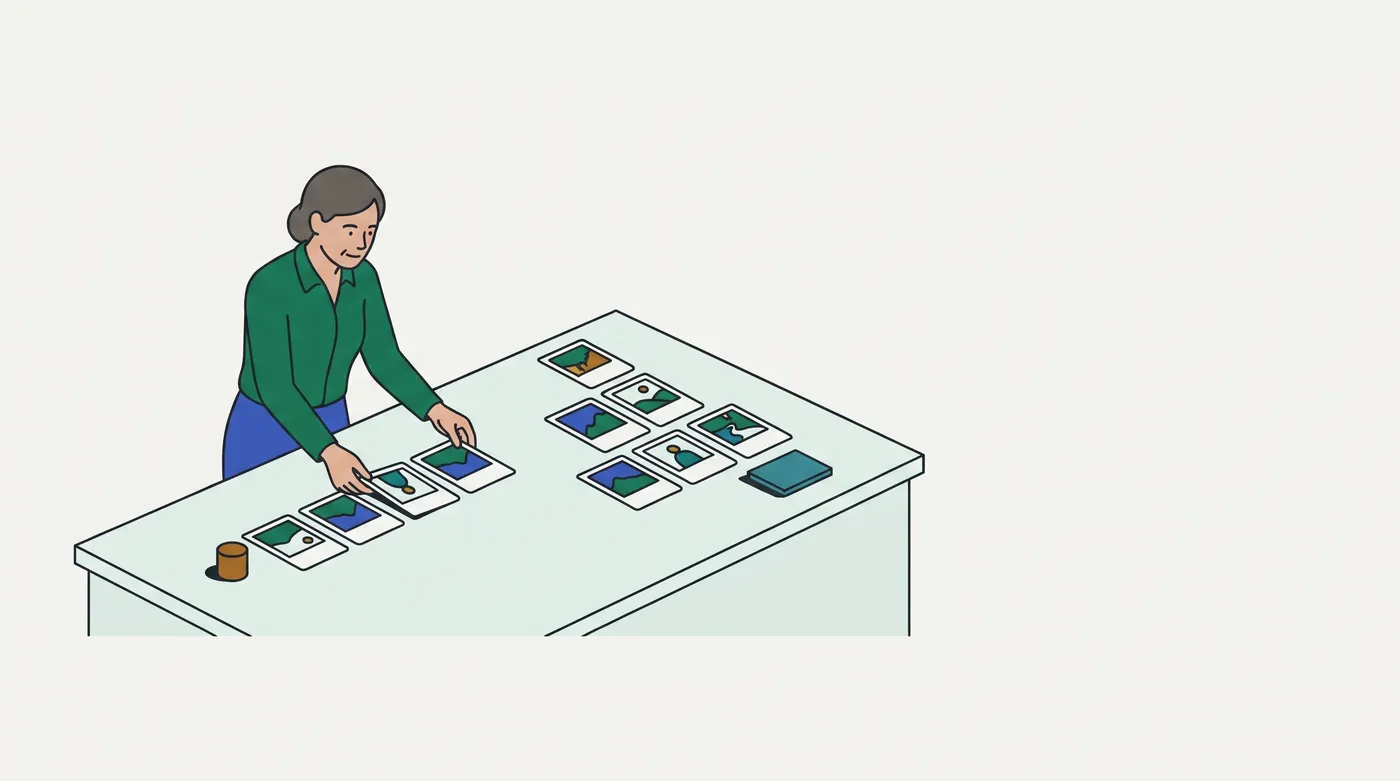
The selected image shows a storyteller laying wordless picture cards out in two arrangements: a row in front of her and a different layout beyond it. The pictures stay the same; each language's telling orders them its own way.
| At the storytelling table | In the app |
|---|---|
| one set of picture cards for every session | one key per message, shared by all locales (step 1) |
| each teller's script, written as whole sentences, lays the cards in that language's order | whole messages with placeholders; translators choose the order (step 2) |
| a teller swapping English words one at a time keeps the English order | concatenated fragments (step 2) |
| the script's phrasing for "one goat", "two goats", "a few goats", "many goats" | ICU plural branches by category (steps 3–5) |
| prices and dates read out the way the audience reads them | Intl formatting (steps 8–10) |
| a scene with no Mexican Spanish line uses the Spanish line, then the English original | the fallback chain (step 12) |
| the session a family booked at the desk sets the language; a guess from their accent applies only before booking | the URL carries the locale; Accept-Language suggests (step 13) |
In real terms: the code names a message and passes values; the locale's catalog, plural rule and formatters decide every word, digit and separator.
Breaks down when: a teller can improvise a phrasing for an odd count; a catalog cannot, so a missing branch falls to other. Nor does the room have time zones (step 9).
Contrasting case: a word-by-word subtitle machine that swaps each English word for a French one. It keeps the English order and the English singular/plural rule, which is what string concatenation does.
Examples, run for real
4.1 EXH-2020: the Arabic start button
Arabic imperatives change with the person addressed; English ones do not. The Arabic catalog held one fixed string, which addresses a man, so every candidate saw it. MR !2320 gives the Arabic message a select on the form of address chosen at check-in. The /ar/exam/… route that selects the Arabic catalog also sets <html lang="ar" dir="rtl">.
// before (EXH-2020), the Arabic catalog: "start the exam", said to a man
start: 'ابدأ الاختبار'
// after (MR !2320), formatted with @messageformat/core for 'ar'; the English catalog keeps 'Start the exam'
start: '{address, select, feminine {ابدئي الاختبار} masculine {ابدأ الاختبار} other {ابدأ الاختبار}}'
ar address=feminine · before "ابدأ الاختبار" · after "ابدئي الاختبار"
ar address=masculine · before "ابدأ الاختبار" · after "ابدأ الاختبار"
en address=feminine · "Start the exam"Glosses: "ابدأ الاختبار" is "start the exam" said to a man, and "ابدئي الاختبار" the same said to a woman. Each locale's message carries only the arguments its own grammar needs (steps 2 and 7).
4.2 One order, four locales
The same amount, instant and list, formatted for four locales with an explicit timeZone.
en-US America/New_York number "1,234,567.5" · date "3/5/26, 4:15 PM" · either "A, B, or C"
de-DE Europe/Berlin    number "1.234.567,5" · date "05.03.26, 22:15" · either "A, B oder C"
ar-SA Asia/Riyadh      number "١٬٢٣٤٬٥٦٧٫٥" · date "٦/٣/٢٠٢٦، ١٢:١٥ ص" · either "A أو B أو C"
ja-JP Asia/Tokyo       number "1,234,567.5" · date "2026/03/06 6:15" · either "A、B、またはC"
Separators, digits, date order and the word for "or" all come from the locale, and the time zone moves the hour and even the day (steps 8–10).
4.3 Negotiation and the fallback chain
A request matched by lookup, then a Mexican Spanish page for which the app ships no regional catalog.
match(['de-CH', 'it'], ['en', 'de', 'it'], 'en', { algorithm: 'lookup' }) -> de
i18next lng es-MX, fallbackLng en: chain es-MX -> es -> en
t('cart') -> Carrito
t('pay') -> Pagar
t('help') -> Help
t('returns') -> returns
Lookup trims de-CH to de (step 11). i18next walks es-MX, es, then en, and shows the key itself when no catalog has it (step 12).
Picture it
Try it
Answer first, then check. Nothing is saved.
Question 1 of 8
The cart badge is built as below for en, fr and ar. In French, an empty cart reads "Vous avez 0 articles dans votre panier", and the Arabic badge reads wrongly for most counts. The translators then sent the forms in the second block (the Arabic ones read: your cart is empty; one product; two products; # products).
en | one: You have # item in your cart | other: You have # items in your cart
fr | one: Vous avez # article dans votre panier | other: Vous avez # articles dans votre panier
ar | zero: سلتك فارغة | one: في سلتك منتج واحد | two: في سلتك منتجان | few: في سلتك # منتجات | many: في سلتك # منتجا | other: في سلتك # منتج
Which change shows the translators' form for every count from 0 to 120 in all three languages?
const words = { en: { youHave: 'You have', item: 'item', items: 'items', inCart: 'in your cart' }, fr: { youHave: 'Vous avez', item: 'article', items: 'articles', inCart: 'dans votre panier' }, ar: { youHave: 'لديك', item: 'منتج', items: 'منتجات', inCart: 'في سلتك' },};const badge = (locale, n) => `${words[locale].youHave} ${n} ${n === 1 ? words[locale].item : words[locale].items} ${words[locale].inCart}`;Question 2 of 8
The checkout's server renders a flash sale's end into the page with the code below. The server process runs with TZ=Europe/Paris. A shopper in Riyadh (Asia/Riyadh) opens the page. On that date Paris is at UTC+2, Riyadh at UTC+3 and London at UTC+1.
What does the server-rendered text say?
const ends = new Date('2026-10-20T22:30:00Z');const text = new Intl.DateTimeFormat('en-GB', { dateStyle: 'medium', timeStyle: 'short' }).format(ends);Question 3 of 8
The Egyptian Arabic checkout (ar-EG) shows the total, 1234.5 Egyptian pounds (EGP), with Arabic-Indic digits. A shopper chose "Western digits" in her profile, so her total should read 1,234.50 beside the Arabic currency label ج.م..
Which formatter gives that?
Question 4 of 8
The checkout ships three catalogs and picks one per request with @formatjs/intl-localematcher. A shopper's browser asks for Saudi Arabic first, then French.
Which catalog loads?
match(['ar-SA', 'fr'], ['en', 'fr', 'ar-EG'], 'en', { algorithm: 'lookup' });Question 5 of 8
The order confirmation names the items shipped, each already translated, and t('and') returns the locale's word for "and". The copy editors want: US English Charger, Case, and Cable, British English Charger, Case and Cable, French Chargeur, Étui et Câble, Arabic شاحن وحافظة وكابل (charger and case and cable).
Which code produces all four lines?
const names = { en: ['Charger', 'Case', 'Cable'], fr: ['Chargeur', 'Étui', 'Câble'], ar: ['شاحن', 'حافظة', 'كابل'] };const and = { en: 'and', fr: 'et', ar: 'و' }; // what t('and') returnsQuestion 6 of 8
The store serves each language at its own path: /en/checkout, /fr/checkout and /ar/checkout. A shopper in Riyadh, whose browser sends Accept-Language: ar-SA, opens a link a friend shared: /fr/checkout.
What should the server do?
Question 7 of 8
The checkout configures i18next as below. The France page uses lng: 'fr-FR', and the Arabic page lng: 'ar', which shows Delivery address in English until its translation arrives, as intended. On the Québec page the email label reads Courriel, but the Pay button and the address label are in English.
Which is the bug?
i18next.init({ lng: 'fr-CA', fallbackLng: 'en', resources: { 'fr-CA': { translation: { email: 'Courriel' } }, 'fr-FR': { translation: { email: 'E-mail', pay: 'Payer', address: 'Adresse de livraison' } }, ar: { translation: { email: 'البريد الإلكتروني', pay: 'ادفع' } }, en: { translation: { email: 'Email', pay: 'Pay', address: 'Delivery address' } }, },});Question 8 of 8
The proctor console formats each candidate's flag summary with the pinned @messageformat/core, passing the stored gender unchanged. Four candidates have 2 flags each, and their records store gender as 'female', 'Female', 'nonbinary' and null.
What are the four summaries, in that order?
const summary = new MessageFormat('en').compile( '{gender, select, female {She has} male {He has} other {They have}} {n, plural, one {# flag} other {# flags}}');summary({ gender: c.gender, n: c.flags });Go deeper
Pro tips
- Pseudo-localize before translating. Replace every catalog string with an accented, bracketed copy (
[Ýöû ĥåṽé…]) and run the app; any text outside brackets was never in a catalog. (Not executed here; a build-step practice.) - Canonicalize tags before you match them.
Intl.getCanonicalLocales(['EN-gb', 'ar-sa'])returns properly cased tags, so a storedEN-gbcompares equal toen-GB. Verify: it printeden-GB, ar-SA.
Source
- MDN, Intl: https://developer.mozilla.org/en-US/docs/Web/JavaScript/Reference/Global_Objects/Intl · read 2026-10-01 ·
sources/mdn-intl.txt. Locale identification and negotiation, the formatter constructors. Steps 8, 10–11. As of 2026-10-01. - MDN, Intl.PluralRules: https://developer.mozilla.org/en-US/docs/Web/JavaScript/Reference/Global_Objects/Intl/PluralRules · read 2026-10-01 ·
sources/mdn-pluralrules.txt. Steps 3–6. As of 2026-10-01. - MDN, Intl.DateTimeFormat() constructor: https://developer.mozilla.org/en-US/docs/Web/JavaScript/Reference/Global_Objects/Intl/DateTimeFormat/DateTimeFormat · read 2026-10-01 ·
sources/mdn-datetimeformat-ctor.txt. ThetimeZoneoption and its default. Step 9. As of 2026-10-01. - MDN, Intl.NumberFormat() constructor: https://developer.mozilla.org/en-US/docs/Web/JavaScript/Reference/Global_Objects/Intl/NumberFormat/NumberFormat · read 2026-10-01 ·
sources/mdn-numberformat-ctor.txt.numberingSystemand thenuextension key. Step 10. As of 2026-10-01. - MDN, Intl.ListFormat: https://developer.mozilla.org/en-US/docs/Web/JavaScript/Reference/Global_Objects/Intl/ListFormat · read 2026-10-01 ·
sources/mdn-listformat.txt. Step 8. As of 2026-10-01. - ICU User Guide, Formatting Messages: https://unicode-org.github.io/icu/userguide/format_parse/messages/ · read 2026-10-01 ·
sources/icu-messages.txt. Whole-sentence messages,plural,select,=0and#. Steps 2–3, 6–7. As of 2026-10-01. - Unicode CLDR, Plural Rules and the Language Plural Rules chart: https://cldr.unicode.org/index/cldr-spec/plural-rules · https://www.unicode.org/cldr/charts/latest/supplemental/language_plural_rules.html · read 2026-10-01 ·
sources/cldr-plural-rules.txt,sources/cldr-plural-chart.txt. Steps 4–5. As of 2026-10-01 (the chart is "latest" and may change with each CLDR release; the executed rules are CLDR 48.0's, as bundled in Node 24.19.0). - Step 11. As of 2026-10-01.
- MDN, Accept-Language: https://developer.mozilla.org/en-US/docs/Web/HTTP/Reference/Headers/Accept-Language · read 2026-10-01 ·
sources/mdn-accept-language.txt. "The server should never override an explicit user language choice." Step 13, P6. As of 2026-10-01. - Google Search Central, Managing multi-regional and multilingual sites (page dated "Last updated 2025-12-10 UTC"): https://developers.google.com/search/docs/specialty/international/managing-multi-regional-sites · read 2026-10-01 ·
sources/google-multiregional.txt. Separate URLs per language, no automatic redirects by presumed language, no IP analysis. Step 13, P6. Google's current practice, as of 2026-10-01. - W3C Internationalization, Accept-Language used for locale setting: https://www.w3.org/International/questions/qa-accept-lang-locales · read 2026-10-01 ·
sources/w3c-accept-lang-locales.txt. "It is not a good idea to use the HTTP Accept-Language header alone to determine the locale of the user." Step 13. As of 2026-10-01. - i18next, Fallback: https://www.i18next.com/principles/fallback · read 2026-10-01 ·
sources/i18next-fallback.txt. The language-to-fallback order. Step 12, D1. As of 2026-10-01. - Next.js, Internationalization guide: https://nextjs.org/docs/app/guides/internationalization · read 2026-10-01 ·
sources/nextjs-i18n.txt. Locale in the path, matched from Accept-Language, dictionaries loaded on the server. Steps 13–14; teaching only, no item is keyed on it. As of 2026-10-01. - FormatJS, Intl.LocaleMatcher: https://formatjs.github.io/docs/polyfills/intl-localematcher/ · read 2026-10-01 ·
sources/formatjs-localematcher.txt. Thematch()signature and itslookup/best fitalgorithms. Step 11, P4. As of 2026-10-01. - Each source file starts with its URL, the final URL after redirects, the date read, the SHA-256 of the saved body, the HTTP status and how it was fetched (
fetch-sources.mjs).
Related lessons
Checked against the tools and docs as of 2026-10-01.