RTL layout and logical properties
Under dir="rtl" the inline axis starts at the right: logical properties mirror, physical ones stay, and user text and icons need deliberate handling.
Predict first
Before you read: predict
The Arabic exam page sets <html dir="rtl">. The question card holds a flag button and a timer.
.card  { position: relative; width: 400px; height: 120px; }
.flag  { position: absolute; top: 8px;  inset-inline-end: 8px; width: 24px; height: 24px; }
.timer { position: absolute; top: 48px; right: 8px;            width: 64px; height: 24px; }
<div class="card"><div class="flag"></div><div class="timer"></div></div>Wrong or E → FULL. A correct tap with a vague why → TARGETED on steps 3–5. FAST needs physical-stays and logical-follows-dir.
On which side of the card does Chromium draw each one?
The 30-second version
The dir attribute sets a block's base direction. Under dir="rtl" the inline axis starts at the right, so flex rows, grid columns, logical properties such as margin-inline-start and padding-inline-end, and text-align: start mirror, while left and right stay put. Isolate user text with <bdi> or dir="auto". Mirror only directional icons, with :dir(); code and playback stay left-to-right.
Under dir="rtl" the inline axis starts at the right: logical properties mirror, physical ones stay, and user text and icons need deliberate handling.
How it works
Step 1 of 12
dir attribute gives an element and its descendants a base direction, ltr or rtl; set it once on <html>.In the kitchen
- the wing's sign, "Arabic readers start at the right" →
dir="rtl"on<html>(steps 1–3)
Analogy: A bilingual reading room
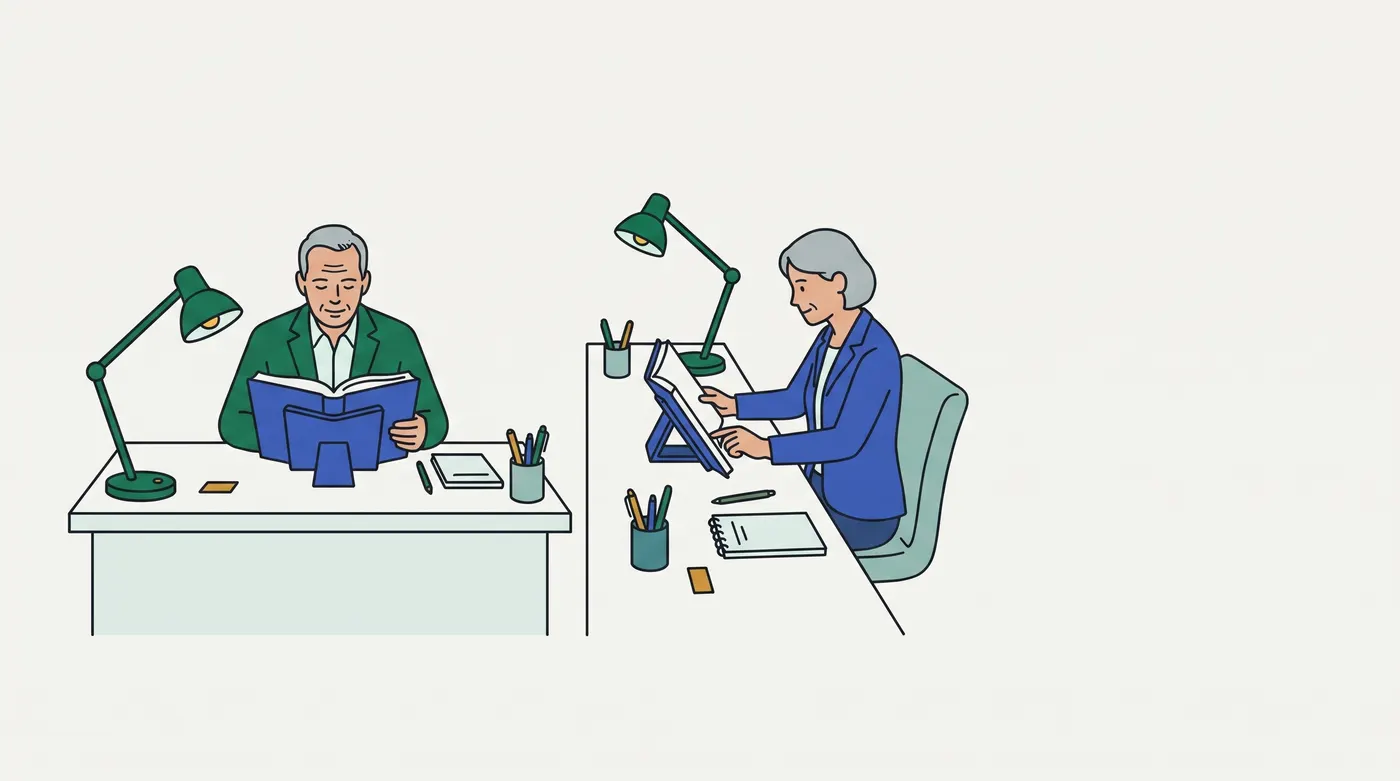
The selected image shows two readers at neighbouring desks, each desk set up from a different side. On the left desk the lamp stands at the far left; at the angled right desk the reader sits at its right-hand end, facing left, with the lamp beyond her book. The library writes one set-up card for every desk.
| In the reading room | In the browser |
|---|---|
| the wing's sign, "Arabic readers start at the right" | dir="rtl" on <html> (steps 1–3) |
| a set-up card reading "lamp on the left" | left, margin-left (step 4) |
| a set-up card reading "lamp at the reader's start side" | inset-inline-start, margin-inline-start, text-align: start (steps 5–6) |
| "next shelf" arrows turned round in the Arabic wing; the wall clock and the tape player's buttons left alone | mirror directional icons only (steps 9–10) |
| an English title quoted on an Arabic catalogue card, kept in its own order | <bdi> isolation (step 8) |
| the room photographed in a mirror: every book spine reads backwards | transform: scaleX(-1) on the page (step 11) |
In real terms: one stylesheet serves both directions when every side it names is a side of the line, not of the screen.
Breaks down when: a desk has nothing like a neutral character. In text, a ! or @ changes side with its neighbours (step 7); on a desk, nothing moves because of what sits beside it.
Contrasting case: switching English to French keeps dir="ltr". Nothing mirrors; only the strings change (fsd-i18n-architecture).
Examples, run for real
4.1 EXH-2010: the Arabic exam page
On the Arabic exam page the progress bar filled from the left, and the code-answer editor's lines started at the right. The fill was anchored with left: 0, and the editor inherited the page's rtl. MR !2310 anchors the fill with inset-inline-start: 0 and marks the editor dir="ltr".
/* before */ .fill { position: absolute; left: 0; width: 40%; height: 8px; }
/* after  */ .fill { position: absolute; inset-inline-start: 0; width: 40%; height: 8px; }
<!-- after --> <pre class="editor" dir="ltr">score = correct * 2</pre>before (EXH-2010) · Arabic page: navigator Q1 at the right end · fill grows from the left · editor lines start at the right
MR !2310 · Arabic page: navigator Q1 at the right end · fill grows from the right · editor lines start at the left
MR !2310 · English page: navigator Q1 at the left end · fill grows from the left · editor lines start at the leftThe navigator's buttons are inline blocks on one line, so they already ran from the right (step 3). The physical left: 0 did not; the logical inset does (steps 4–5). dir="ltr" keeps the code's lines left-to-right (step 12).
4.2 Physical against logical, in both directions
One box and one line of text, rendered under dir="ltr" and dir="rtl" with each declaration in turn.
margin-left: 40px          | English page: margin on the left | Arabic page: margin on the left
margin-inline-start: 40px  | English page: margin on the left | Arabic page: margin on the right
text-align: left           | English page: text at the left | Arabic page: text at the left
text-align: start          | English page: text at the left | Arabic page: text at the right
The two physical declarations never move. The logical ones follow the base direction, so one rule serves both pages (steps 4–6).
4.3 Grid columns follow the inline axis
An order-summary grid with grid-template-columns: 120px 1fr and a border-inline-start accent, rendered in both directions.
grid 120px 1fr · English page: 120 px column at the left · accent border on the left
grid 120px 1fr · Arabic page: 120 px column at the right · accent border on the right
Grid column 1 sits at the start of the inline axis, which is the right edge under rtl; the logical border follows it (steps 3 and 5).
4.4 A full stop after a Latin name
On the Arabic page, an order line ends with the brand name a seller typed and a full stop: شكرا لطلبك من TrailCo. ("Thank you for your order from TrailCo.").
as typed          · Arabic page: full stop drawn left of TrailCo, at the line's left end
name inside <bdi> · Arabic page: full stop drawn right of TrailCo
The full stop sits between the Latin run and the end of a right-to-left line, so it takes the paragraph's direction and is drawn at the line's left end, not after the o (step 7). Inside <bdi>, the name and its full stop are isolated and keep their own order (step 8).
Picture it
Try it
Answer first, then check. Nothing is saved.
Question 1 of 6
This cart line is shared by the English page (<html dir="ltr">) and the Arabic page (<html dir="rtl">). In the Arabic page the product name runs under the thumbnail.
.line  { position: relative; width: 360px; min-height: 48px; }
.thumb { position: absolute; top: 0; inset-inline-start: 0; width: 48px; height: 48px; }
.name  { padding-left: 56px; text-align: start; }
<div class="line"><div class="thumb"></div><p class="name">Trail shoes</p></div>Which declaration is the bug?
Question 2 of 6
The Arabic order confirmation (<html dir="rtl">) names the gift recipient by the handle the buyer typed, @sam. The Arabic words read "Your order will reach … tomorrow".
<p>سيصل طلبك إلى <span class="who">@sam</span> غدا</p>Where does Chromium draw the @?
Question 3 of 6
The checkout mirrors its icons with the rule below, in the English page (<html dir="ltr">) and the Arabic page (<html dir="rtl">). The product video player carries dir="ltr". In the Arabic page the back arrow points right, as it should, but the play triangle points left.
[dir="rtl"] .icon { transform: scaleX(-1); }<a class="back" href="#"><svg class="icon" viewBox="0 0 10 10" width="20" height="20"><path d="M8 1 2 5 8 9" fill="none" stroke="black"/></svg> Cart</a>
<div class="player" dir="ltr"><button><svg class="icon" viewBox="0 0 10 10" width="20" height="20"><path d="M2 1 9 5 2 9"/></svg></button></div>Which change keeps the back arrow pointing right in Arabic and left in English, with the play triangle pointing right in both?
Question 4 of 6
The checkout's step bar is shared by the English page (<html dir="ltr">) and the Arabic page (<html dir="rtl">). In the Arabic page, Cart sits at the left end of the bar.
.steps { display: flex; width: 480px; gap: 8px; }
.steps > div { width: 120px; }
[dir="rtl"] .steps { flex-direction: row-reverse; }
<div class="steps"><div>Cart</div><div>Delivery</div><div>Pay</div></div>Which change puts Cart at the start edge in both pages, followed by Delivery and then Pay?
Question 5 of 6
The English checkout (<html dir="ltr">) switches to Arabic by running the script below.
.line { margin-inline-start: 40px; }
.icon:dir(rtl) { transform: scaleX(-1); }
<p class="line">Total <svg class="icon" viewBox="0 0 10 10" width="20" height="20"><path d="M2 1 8 5 2 9" fill="none" stroke="black"/></svg></p>
<p class="line" dir="rtl">Delivery <svg class="icon" viewBox="0 0 10 10" width="20" height="20"><path d="M2 1 8 5 2 9" fill="none" stroke="black"/></svg></p>After it runs, on which side of each line is its margin, and which way does each arrow point?
document.documentElement.style.direction = 'rtl';Question 6 of 6
The Arabic checkout (<html dir="rtl">) shows each customer review as it was typed, in English or in Arabic; the second one reads "Excellent size, very comfortable!". Each review should start at its own language's start edge, with its closing ! at its own end.
<p class="review">Great fit, true to size!</p>
<p class="review">مقاس ممتاز ومريح جدا!</p>
Which markup on each review meets that?
Go deeper
Pro tips
- Check the boxes, not the stylesheet. In Chromium's Elements panel, edit
diron<html>betweenltrandrtland watch which boxes move; a box that stays put is physical or symmetric. (Not executed here; DevTools UI.) - Let one logical shorthand set both sides.
margin-inline: 0 16pxsets the start and end margins together, andinset-inline: 0pins both sides. Verify:margin-inline: 0 16pxcomputed to a 16 px right margin in the English page and a 16 px left margin in the Arabic page.
Source
- MDN, CSS logical properties and values: https://developer.mozilla.org/en-US/docs/Web/CSS/CSS_logical_properties_and_values · read 2026-10-01 ·
sources/mdn-logical-properties.txt. "Logical properties and values use the abstract terms block and inline to describe the direction in which they flow." Steps 3–5. As of 2026-10-01. - W3C Internationalization, Structural markup and right-to-left text in HTML: https://www.w3.org/International/questions/qa-html-dir · read 2026-10-01 ·
sources/w3c-qa-html-dir.txt. "Do not use CSS to apply base direction in HTML pages." Steps 1–2 and 12. As of 2026-10-01. - W3C, CSS Writing Modes Level 4: https://www.w3.org/TR/css-writing-modes-4/ · read 2026-10-01 ·
sources/css-writing-modes-4.txt. The inline base direction "defines on which sides the “start” and “end” of a line are"; "Authors should not use direction in HTML documents." Steps 2–3. As of 2026-10-01. - MDN,
text-align: https://developer.mozilla.org/en-US/docs/Web/CSS/text-align · read 2026-10-01 ·sources/mdn-text-align.txt.start: "The same as left if direction is left-to-right and right if direction is right-to-left." Step 6. As of 2026-10-01. - MDN,
<bdi>: https://developer.mozilla.org/en-US/docs/Web/HTML/Element/bdi · read 2026-10-01 ·sources/mdn-bdi.txt. "The <bdi> HTML element tells the browser's bidirectional algorithm to treat the text it contains in isolation from its surrounding text." Steps 7–8. As of 2026-10-01. - MDN,
:dir(): https://developer.mozilla.org/en-US/docs/Web/CSS/:dir · read 2026-10-01 ·sources/mdn-dir-pseudo.txt. "The :dir() pseudo-class uses only the semantic value of the directionality, i.e., the one defined in the document itself." Steps 2 and 10. As of 2026-10-01. - Material Design 2, Bidirectionality: https://m2.material.io/design/usability/bidirectionality.html · read 2026-10-01 ·
sources/material-bidirectionality.txt(the page renders client-side; saved as Chromium's rendered text). "Icons that communicate direction, like arrows, are mirrored"; "Do not mirror media playback buttons and the media progress indicator as they refer to the direction of tape being played, not the direction of time." Step 9. Google's design guidance, as of 2026-10-01; teaching only, no item is keyed on it. - Each source file starts with its URL, the final URL after redirects, the date read, the SHA-256 of the saved body, the HTTP status and how it was fetched.
Related lessons
Checked against the tools and docs as of 2026-10-01.