Reconciliation, identity and keys
React pairs each new child with an old one by key, or by position without a key; state stays with the paired old child.
Predict first
Before you read: predict
ExamHall candidate app. A section shows Q2, Q5 and Q7. Each QuestionCard keeps the candidate's draft in its own state:
The candidate types 42 into Q2's box. The section is then re-shuffled and renders the questions in the order Q5, Q2, Q7.
Which box shows 42 now?
function QuestionCard({ q }) { const [draft, setDraft] = useState(''); return <li><label>{q.id}</label><input value={draft} onChange={e => setDraft(e.target.value)} /></li>;}// in the section:questions.map((q, i) => <QuestionCard key={i} q={q} />)The 30-second version
On every render React pairs each new child with an old child of the same parent: by key if given, else by position. A same-type pair keeps the old component's state and DOM and only receives new props. An unpaired or retyped old child is destroyed; an unpaired new child starts fresh. An index key is just the position.
React pairs each new child with an old one by key, or by position without a key; state stays with the paired old child.
How it works
Step 1 of 8
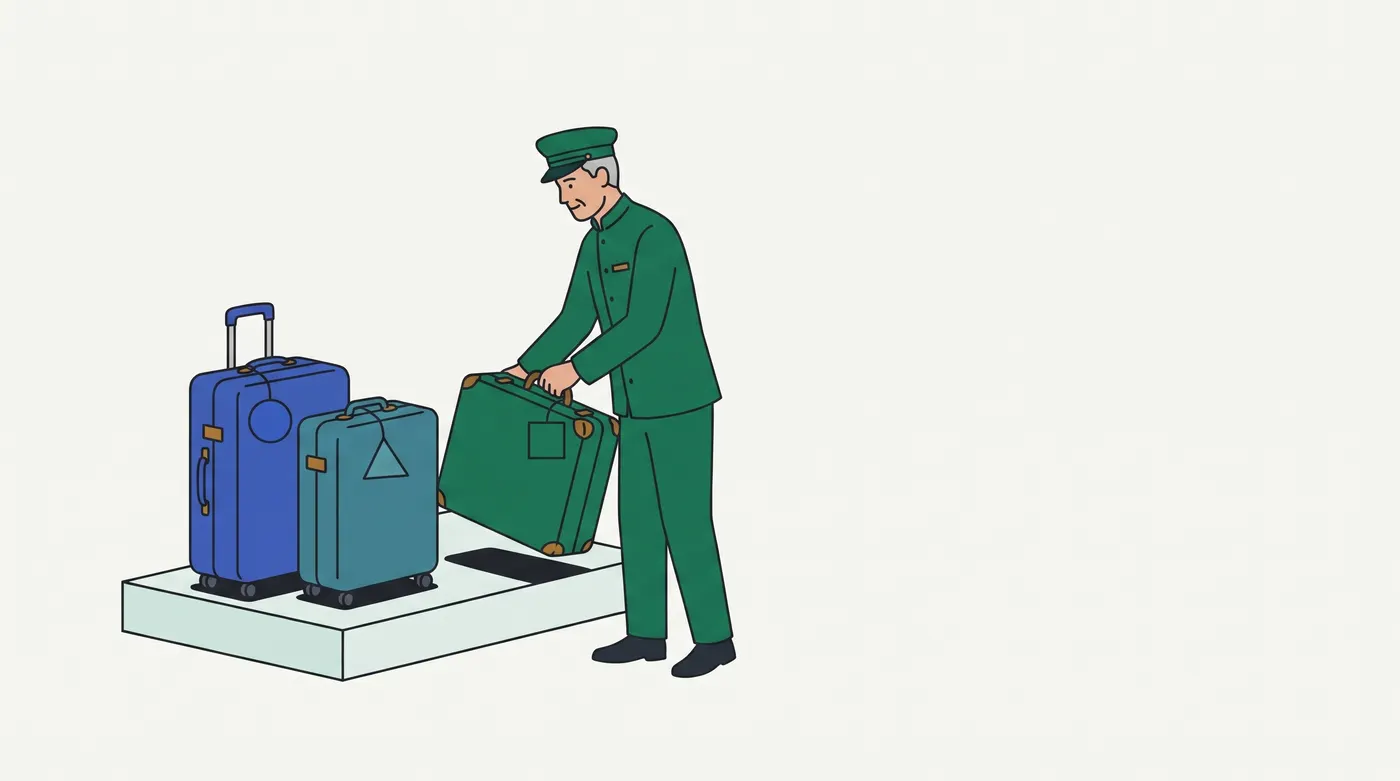
Analogy: A hotel bell desk's luggage room (hospitality operations)
Each evening the porter gets a fresh guest list and must hand each guest a stored bag.
| In the analogy | In React |
|---|---|
| With no claim tags, the porter hands the first bag on the rack to the first guest on the list | No key: pairing by position |
| A bag keeps its contents; only its outside label is rewritten | A kept component keeps its state; only its props change |
| A claim tag matching the guest's ticket: the bag is found wherever it sits | A stable key: a moved item keeps its own state |
| A "claim tag" that just says "rack spot 1" | key={i}: after a re-sort, spot 1's bag goes to a different guest |
| A ticket with a new tag number matches no bag: the old bag is cleared, the guest gets an empty one | A changed key: unmount, then a fresh mount |
| The spot now expects a garment bag but holds a suitcase: the suitcase is cleared | A different type at that position rebuilds the subtree |
Breaks down when:
- A porter can read the name on a bag; React never inspects props to pair children. Wrong inference: "React will notice whose box this is."
- Claim tags look hotel-wide; keys are unique only among siblings. Wrong inference: "keys must be global IDs."
- An unclaimed bag goes to lost property; destroyed state is gone. Wrong inference: "switching back restores the old draft."
Contrasting case: the safe-deposit ledger, which logs valuables under the guest's name, not a spot: state lifted into the parent and stored by ID (answers[q.id]). Order and keys cannot move it.
In real terms: reconciliation matches each new element to an existing component instance by key, else by index, and reuses it only when the element type matches too; state lives on the matched instance.
Examples, run for real
E1 gave the same output in headless Chromium with real typing.
E1 · ExamHall EXH-437: "Flagged first" moves answers to the wrong question
Each AnswerBox keeps its draft in state. The candidate types 42 for Q2 and B for Q5, then turns on Flagged first, which moves the flagged Q7 to the top.
list.map((q, i) => <AnswerBox key={i} q={q} />) // BUG. MR !796: key={q.id}key={i}: Q7="42" Q2="B" Q5="" | mounts 0, unmounts 0 | Q2's input is the same DOM node: false
key={q.id}: Q7="" Q2="42" Q5="B" | mounts 0, unmounts 0 | Q2's input is the same DOM node: trueNothing remounts in either run (step 3). With key={i} each draft stays in its slot (step 6); with key={q.id} React moves Q2's own input node (step 5).
E2 · ExamHall: a fresh editor for each attempt
AnswerEditor keeps a draft; the attempt changes from A1 to A2.
<AnswerEditor attemptId={id} />: attempt A2 opens with draft "x = 3" | renders of A2 showing the old draft: 1
<AnswerEditor key={id} attemptId={id} />: attempt A2 opens with draft "" | renders of A2 showing the old draft: 0
useEffect(() => setDraft(""), [attemptId]): attempt A2 opens with draft "" | renders of A2 showing the old draft: 1
Same type, same slot: the draft survives (step 3). The key resets it with no stale render (step 7); the effect clears it one render late.
E3 · Proof domain, chat: position and type decide
The user types to Ana, then opens the group chat.
group ? <Composer to="group" /> : <Composer to="Ana" /> -> "Message group" shows "see you at 6"
group ? <div><Composer to="group" /></div> : <Composer to="Ana" /> -> "Message group" shows ""
{group && <Composer to="group" />}{!group && <Composer to="Ana" />} -> "Message group" shows ""
<Composer key={chatId} to={name} /> -> "Message group" shows ""
Line 1: same type, same slot, so the text would go to the wrong chat (step 3). Line 2 changes the parent's type (step 4). Line 3 uses two slots, since false holds one (step 2). Line 4 resets by key (step 7).
Picture it
Try it
Answer first, then check. Nothing is saved.
Question 1 of 8
(p1-catalog-cart.mjs, 50 runs, 1 distinct output)
A cart renders items.map((it, i) => <CartRow key={i} item={it} />), and CartRow keeps qty in state, starting at 1. The cart holds Mug, Lamp, Desk. The shopper sets Lamp's quantity to 3, then removes Mug.
What do the Lamp and Desk rows show?
Question 2 of 8
Same cart.
Which key makes removing Mug leave Lamp at 3 and Desk at 1?
Question 3 of 8
(p2-payments-position.mjs, 50 runs, 1 distinct output)
Checkout renders saved ? <BillingForm mode="saved" /> : <BillingForm mode="new" />. BillingForm keeps the billing name in state. The shopper types "Ana Lima", then switches to a saved card.
What does the name field show?
Question 4 of 8
Same form, but the saved branch is wrapped: saved ? <div><BillingForm mode="saved" /></div> : <BillingForm mode="new" />. Same typing and switch.
What does the name field show?
Question 5 of 8
(p3-streaming-nested.mjs, 50 runs, 1 distinct output)
The viewer raises the volume to 8. One second later t advances.
What does the volume slider show?
function Player() { const [t, setT] = useState(0); // advances once a second function Volume() { const [v, setV] = useState(5); /* slider */ } return <div><span>{t}</span><Volume /></div>;}Question 6 of 8
(p4-ticketing-key-reset.mjs, 50 runs, 1 distinct output)
SeatPicker keeps the picked seats in state. Fill the slot so the picked seats clear when the event changes, without an effect: <SeatPicker ____ event={ev} />.
Answer in one or two lines.
Question 7 of 8
A support-ticketing board renders two columns, Open and Pending. Each column is its own <ul> and renders tickets.map((t) => <TicketCard key={t.id} ticket={t} />). TicketCard keeps the reply draft in its own useState. An agent types "Refund sent Friday" into ticket #31's reply box, then moves #31 from Open to Pending, and the draft is gone.
Which one change keeps the draft on #31 after the move?
Question 8 of 8
A watch page renders <Layout ep={ep}><Player ep={ep} /><Queue /></Layout>. Layout has no state. Player keeps progress and rating in state and renders a <video>; Queue keeps its open tab in state. The viewer is 754 s into episode 4, has rated it 4 and has opened the Trending tab.
Where should key={ep.id} go so that Next episode starts the player at 0 with no rating and leaves the Trending tab open?
Go deeper
Pro tips
- React does not warn about index keys, so a clean console proves nothing.
- When it helps: reviewing a list that can be sorted, filtered or have items inserted (step 6).
- It prints
no key: 1 warning(s) | Each child in a list should have a unique "key" prop.andkey={i}: 0 warning(s), and duplicate keys giveEncountered two children with the same key, …, with the note that non-unique keys "may cause children to be duplicated and/or omitted". - Status: RAN (React 19.3.0 development build, Node 24.19.0).
- To reset a subtree when an ID changes, put the ID in
key, not in an effect.- When it helps: a form or editor that must start empty for each record, attempt or chat (step 7).
- The key line shows 0 renders with the old draft; the effect line shows 1.
- Status: RAN. Keep
keyfor resets you want. Every key change also recreates the subtree's DOM.
Sources
- react.dev, "Preserving and Resetting State": https://react.dev/learn/preserving-and-resetting-state. Covers state tied to position in the UI tree; same component at the same position preserves state; a different component at the same position resets its whole subtree; nested component definitions reset state; resetting with a different position or a key; keys specify the position "within the parent" and are not globally unique. Fetched and confirmed; valid as of 2026-09-27.
- react.dev, "Rendering Lists", keys section: https://react.dev/learn/rendering-lists#keeping-list-items-in-order-with-key. Covers keys unique among siblings, keys must not change, the index being what React uses when no key is given, index keys that "often" lead to subtle bugs, and
Math.random()keys that recreate components and DOM and "lose any user input". Fetched and confirmed; valid as of 2026-09-27. - Supporting, for E2 and tip 2: react.dev, "You Might Not Need an Effect", Resetting all state when a prop changes: https://react.dev/learn/you-might-not-need-an-effect. The effect approach is "inefficient" because the page "will first render with the stale value". Fetched 2026-09-27.
Related lessons
Checked against the tools and docs as of 2026-09-27.